
A stunning hyperlapse video of life on the UC Davis campus
A few days ago, UC Davis student Joe Na (@joenagraphy on twitter) released this hyperlapse video of scenes from around the UC Davis campus, and I've found myself captivated by it.
UC Davis from Joseph Na on Vimeo.
One reason why I've been watching this video over and over again is because Joe has shot some superb scenes with amazing lighting, and it is just beautiful to watch. However, that's not the only reason why I'm so drawn to this video.
After nine years of working at UC Davis I realized just how connected I feel to many of the places that are included in this video. For most of the last two years I have abandoned cycling in favor of walking everywhere on campus. I'm based on the 'far side' of campus near Aggie Stadium, but frequent meetings, teaching requirements, and the need to get a bus home, all mean that I'm regularly walking all over campus.
When I first saw this video, I instantly recognized every location because in an average week, I walk past (or through) most of them! So here is my shot-by-shot breakdown of the video (with links to DavisWiki as appropriate):
- 0:00–0:05 MU bus terminal
- 0:06–0:09 The western edge of the Quad, facing south
- 0:10–0:16 On the Quad, facing the MU
- 0:17–0:25 On top of the West Entry Parking Structure on Hutchinson Drive, looking southwest to the GBSF and the Health Sciences District
- 0:26–0:30 In the Arboretum by Lake Spafford, looking west
- 031–0:34 Looking west across Lake Spafford
- 0:35–0:38 Looking at 3rd & U Cafe from 3rd & University
- 0:39–0:42 Looking at Wellman Hall from the east side
- 0:43–0:47 Entrance of Warren & Leta Giedt Hall, with Kemper Hall in background
- 0:48–0:57 Two scenes inside the CoHo
- 0:58–1:02 Moving to outside the CoHo, overlooking the Quad
- 1:03–1:09 Back to the MU bus terminal, looking north
- 1:10–1:15 Outside the Mondavi Center
- 1:16–1:19 Central area of Olson Hall looking down to the basement
- 1:20–1:23 Outside The Silo
- 1:24–1:28 Inside The Silo
- 1:29–1:33 Outside Wellman Hall, looking south to Hart Hall
- 1:34–1:40 Back to the Arboretum
- 1:41–1:46 Aggie Stadium
- 1:47–1:52 The Pavilion
- 1:53–2:02 Soccer field
- 2:03–2:06 Dobbins Baseball field
- 2:07–2:11 My favorite shot...looking up from within the Death Star complex
- 2:12–2:20 Back to the Arboretum
- 2:21–2:23 Looking at the entrance to Hart Hall from corner of Shields Library
- 2:24–2:27 Looking at northern entrance to Mrak Hall
- 2:28–2:32 Dutton Hall
- 2:33–2:36 I think this is on East Field, behind Dutton Hall
- 2:37–2:40 The ARC
- 2:41–2:44 Looking at Peter A. Rock Hall from across the turning circle at Hutchinson Drive & California Avenue
- 2:45–2:48 Hmm, somewhere west of campus? Update: now confirmed to be Hopkins Road (thanks to @brendawrites)
- 2:49–2:53 Not sure...possibly the Teaching Vineyard next to the Robert Mondavi Institute for Wine and Food Sciences
Thanks again to Joe for making a beautiful video which serves as a wonderful advertisment for UC Davis.
Summary: migrating from Gmail to FastMail
I thought I would group together links to my set of six posts about how I have migrated from Gmail to FastMail:
- In part 1, I explained the complexity of my email setup.
- I used part 2 to talk about why I wanted to migrate away from the (admittedly very good) tools provided by Google
- Part 3 went over the steps I took to prepare for the migration
- Part 4 proceeded to talk about how you can copy email from Gmail to FastMail and also included some links to some other useful resources online
- In part 5, I covered some of the specific issues that arose duing the migration (e.g. DNS configuration)
- Finally, I used part 6 to list the good and bad things that I have experienced during (and since) this migration
Migrating From Gmail To FastMail: Part 6
Okay, so I have been negligent in finishing my series of blog posts about my Gmail to FastMail migration. But that negligence ends today.
This is my final post in this series. First, I will list the things I don’t like about FastMail and discuss the problems that I’ve had during my migration from Gmail. Then I’ll cover the things I like about FastMail.
Bad things about FastMail
The list of problems that I have experienced is almost non-existent, and the few issues I have had were my own fault! At one point in my migration, I had my Apple Mail app (on OS X) set up with both my Gmail and my new FastMail account. This meant that I effectively had duplicates of everything.
When I was trying to, ahem, ‘tidy up’ my soon-to-be-defunct Gmail account and check that everything had migrated over to FastMail properly, I accidentally deleted my Gmail ‘Spam’ folder. Only it turned out that this was actually my FastMail Spam folder.
It took me a while to troubleshoot this, but only because a lot of FastMail’s online documentation specifically refers to a folder called ‘Junk Mail’ and not ‘Spam’. E.g. (click to enlarge)
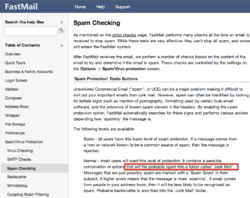
When I later noticed that I was unable to mark mail as junk on the FastMail website, I realized that I had maybe deleted the wrong folder. A quick email to FastMail confirmed that in their new web interface, they have renamed ‘Junk Mail’ to ‘Spam’. Their support team quickly rebuilt my Spam email folder and all was well again.
So that’s my sole criticism of FastMail: because of an error that was my fault I was temporarily confused by some of their documentation which is not up to date. I can live with this!
Good things about FastMail
-
It works just as you want a mail service to work. Stable, reliable, and powerful.
-
If you use a custom domain (as is the case for me), they set up a default subdomain at mail.yourcustomdomainname.com that lets you check your mail [1]. I found this was a nice little touch.
-
The Desktop web app is good. Really good. Supports all of your Gmail keyboard shortcuts and many more besides.
-
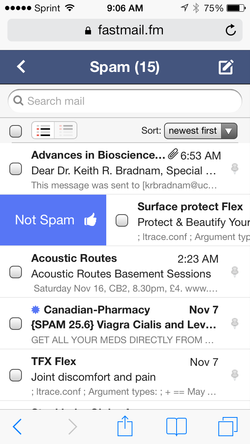
The mobile web app is also fantastic, and supports many great ‘slide’ gestures that makes it feel like a native iOS app. E.g. (click to enlarge):
-
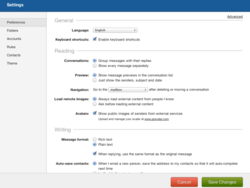
There is a great set of default settings (click to enlarge):
-
But when you need them, their Advanced settings are there and they could probably keep you occupied for several days (every option in the left-sidebar opens a whole page of preferences). Click to enlarge:

-
Fantastic, and timely, support from real people!
-
Integration with 3rd party mail clients is straightforward and seems to work as expected.
-
The web app has four main components: Mail, Address Book (I easily imported my addresses from OS X Contacts app), Notes (a simple way of collecting some thoughts in the style of Simplenote [2], and Files.
-
The aforementioned file storage space can be used to host files or photo galleries.
Native or web app?
I’m really impressed by the web app experience when using FastMail. So much so, that I’m currently switching a lot between the web apps (on my Mac and on iOS) and 3rd party mail clients. FastMail is working beautifully with Apple’s mail apps (on OS X and iOS) as well as apps like the fantastic AirMail (OS X) and Triage (iOS).
Overall
I’m loving FastMail, and still discovering many new things about it every day. I’ve no regrets about migrating away from Gmail and am happy to pay a fair price for this level of quality, functionality, and service.
7 reasons why I don't like content 'aggregators' who scrape blog sites
Today a post on twitter drew my attention to Bioinfo-Bloggers, a site that aggregates content — i.e. the full blog post is reproduced — from 28 different bloggers who write about bioinformatics and genomics.
Outwardly, this might seem like a good idea. The bloggers get more exposure to their material, and readers can visit just one site instead of 28 separate RSS feeds. However, there are several reasons why I have issues with this type of aggregation. Many of my concerns apply even when individual bloggers have expressly licensed their material for reuse (e.g. by use of a CC0 Creative Commons license).
- The site lists the 28 blogs as 'contributors' and lists the blog writers as 'authors'. This strongly suggests that the people in question have consented to their material being used, even when this is not the case.
- Links to the original blog posts are included, but only at the end of each reproduced entry. The included text says that 'This is a syndicated post', further suggesting that the original authors agreed to have their content syndicated.
- The Bioinfo-Bloggers website asserts copyright over all material (see footer section of website).
- The original bloggers lose web traffic. This can matter for minor reasons such as when you want to include details of how popular your blog is for outreach sections on research grants. But it potentially — depending on how much traffic Bioinfo-bloggers gets — deprives you of knowing who is looking at your content, which articles are more popular, etc.
- People don't a chance to comment on your blog (unless they follow the links). You may lose some direct engagement with your readers.
- If people start using this site rather than viewing your blog, what happens if Bioinfo-Bloggers stops including your blog site, or shuts down altogether? In the former case, people might just assume you are not posting any more.
- What happens if Bioinfo-Bloggers starts including content from other blogs that you don't approve of? Your blog post may appear alongside another which espouses views you find offensive.
The first three points could easily be addressed by removing the claim of copyright over all material, by making it explicit that this site is just scraping other sites and that the original bloggers may not be aware of this, and by placing links to the original blog content at the top (not bottom) of each article.
There are currently some ongoing discussions about this on Twitter. E.g.
.@kbradnam *shrug* coming from open source, you sort of get used to stuff being used however. Relevance > details for me. YMMV!
— Titus Brown (@ctitusbrown) November 5, 2013
@BioMickWatson @kbradnam @ctitusbrown @BioinfoBloggers - lower left hand side "Copyright © 2013 Bioinfo-Bloggers. All Rights Reserved"
— Casey Bergman (@caseybergman) November 5, 2013
Bacon, bacon, bacon: a bacon extravaganza
Today I cooked a three course meal with every dish featuring bacon. This was a special treat for some dear friends of ours who will sadly be leaving Davis after many years here. One friend has always made it clear to us that she loves bacon, so I thought I would cook her a meal to remember.
The appetizer — for which I stupidly forgot to take a picture of — was Bacon Cheddar Deviled Eggs. The bacon was cooked on top of a wire rack in the oven (to try to reduce the fat content a little bit). I used an English mustard (Colman's) which has quite a tang. Eggs were served with a few cherry tomatoes on the side that were drizzled in olive oil and served with a large drop of a local Black Currant Balsamic Vinegar.
The main course was a bacon-wrapped cheddar and stout meat loaf (my first time ever cooking meat loaf). The organic beef was grass-fed and from a local source.
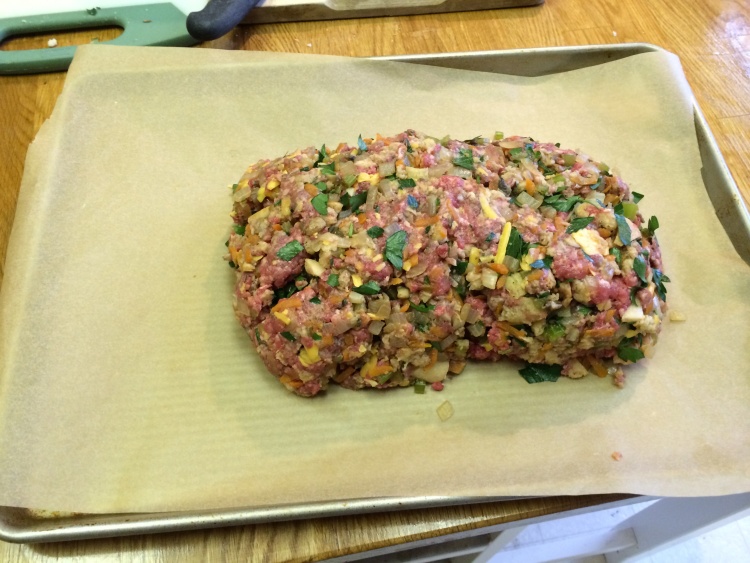

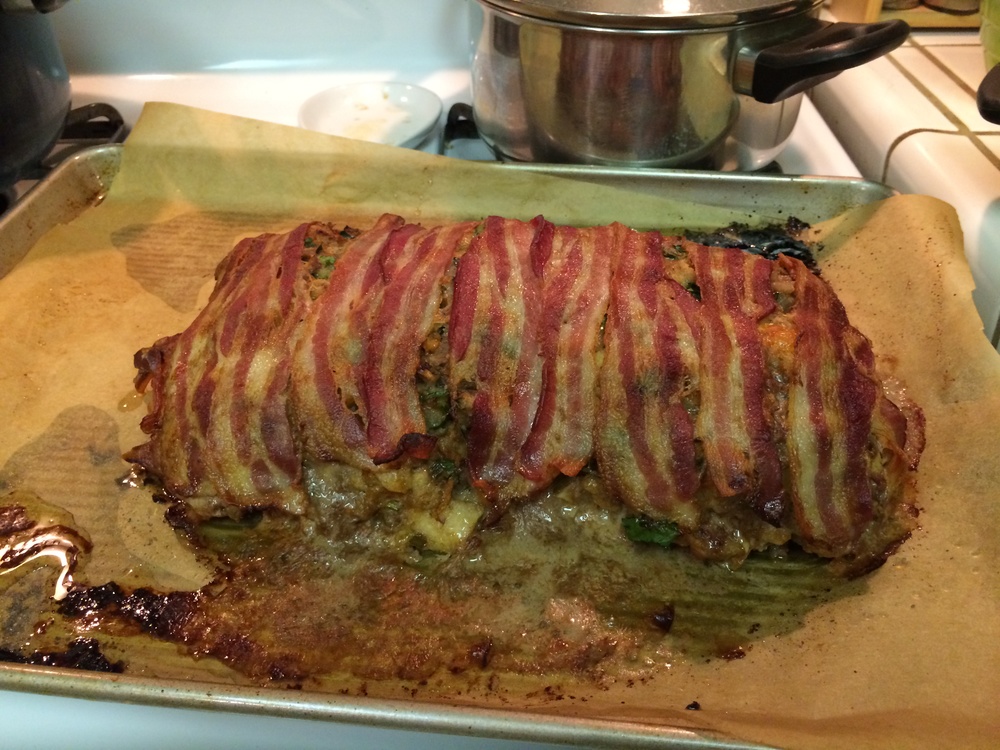
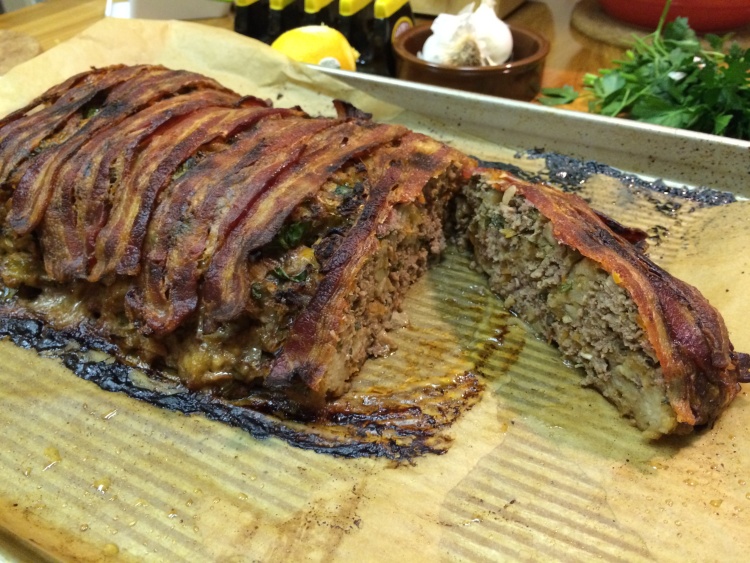
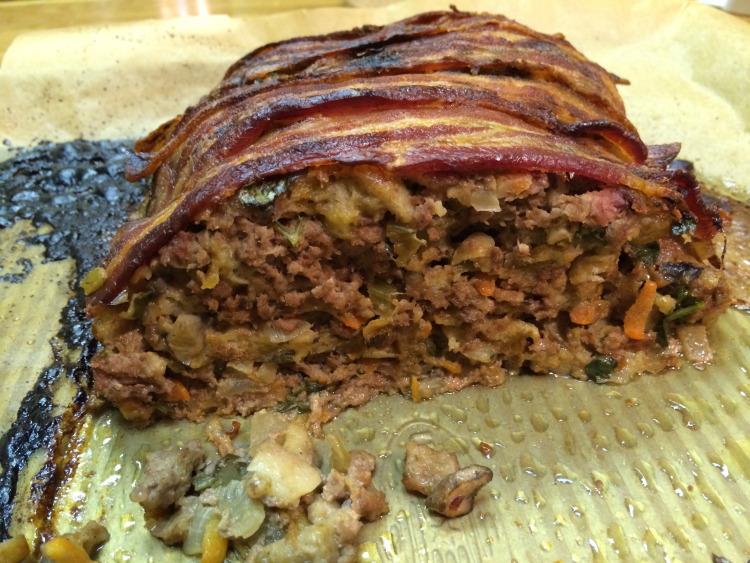
Accompanying the meat loaf was some mashed potatoes (which included some of the bacon fat, plus a couple of handfuls of crushed cooked bacon) and a green bean and garlic recipe that we love (you add fresh lemon zest right at the end).

For dessert, we did not attempt to shy away from bacon. I made some beer-candied bacon (using the same stout that went into the meat loaf) which was served on some vanilla bean ice-cream with a little bit of dark chocolate with sea salt.
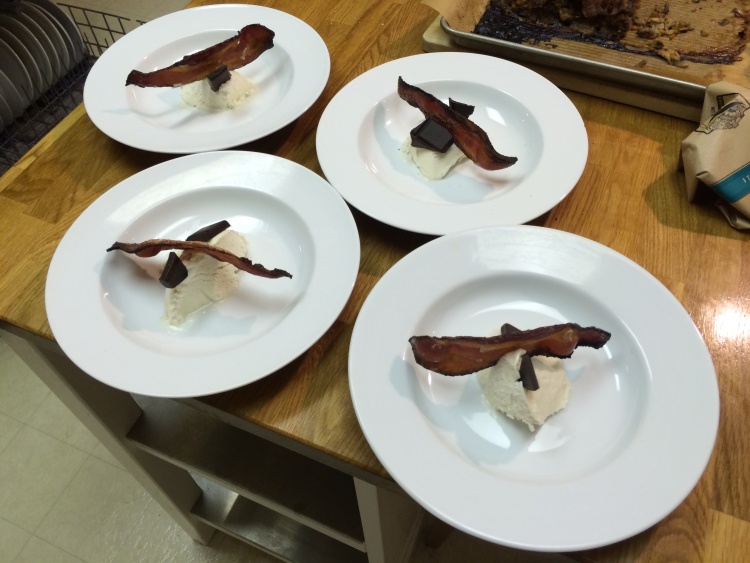

I have never cooked so much bacon in my life! I guess I could have gone the extra step and also prepared a bacon martini but maybe that would have been too much?
Gmail, FastMail, and Mavericks…can't you all just get along?
As a brief interlude to my never ending series of blog posts about migrating from Gmail to FastMail, I'll quickly note that:
a) Gmail has some problems when used as an account in the Mail app of Mac OS 10.9 (Mavericks)
b) FastMail also has some issues when being used with Mail on Mavericks (these would seem to be due to changes Apple made)
So on the one hand, the former news might encourage more people to move away from Gmail but the latter news item means that Apple's Mail app needs some fixes before being ready to work with FastMail under 10.9 (of course, web access to FastMail is unaffected). This is making me consider waiting a little while before upgrading to 10.9.
Update: 31st October
Turns out the 2nd item above was not FastMail's fault and was an issue with a particular user.
Update: 4th November
Marco Arment's piece on the wider issue of Gmail not adopting standard IMAP protocols is well worth a read.